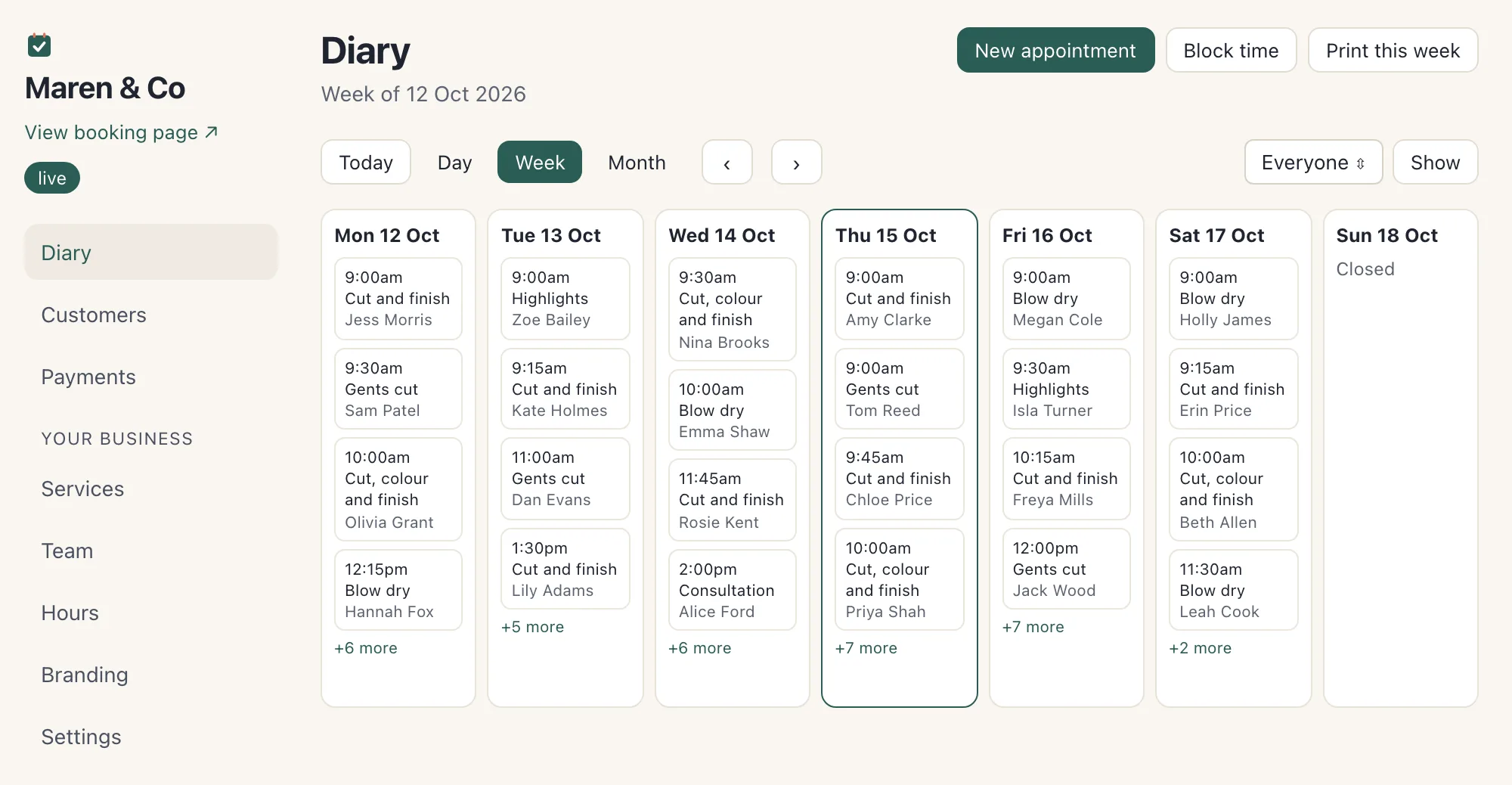
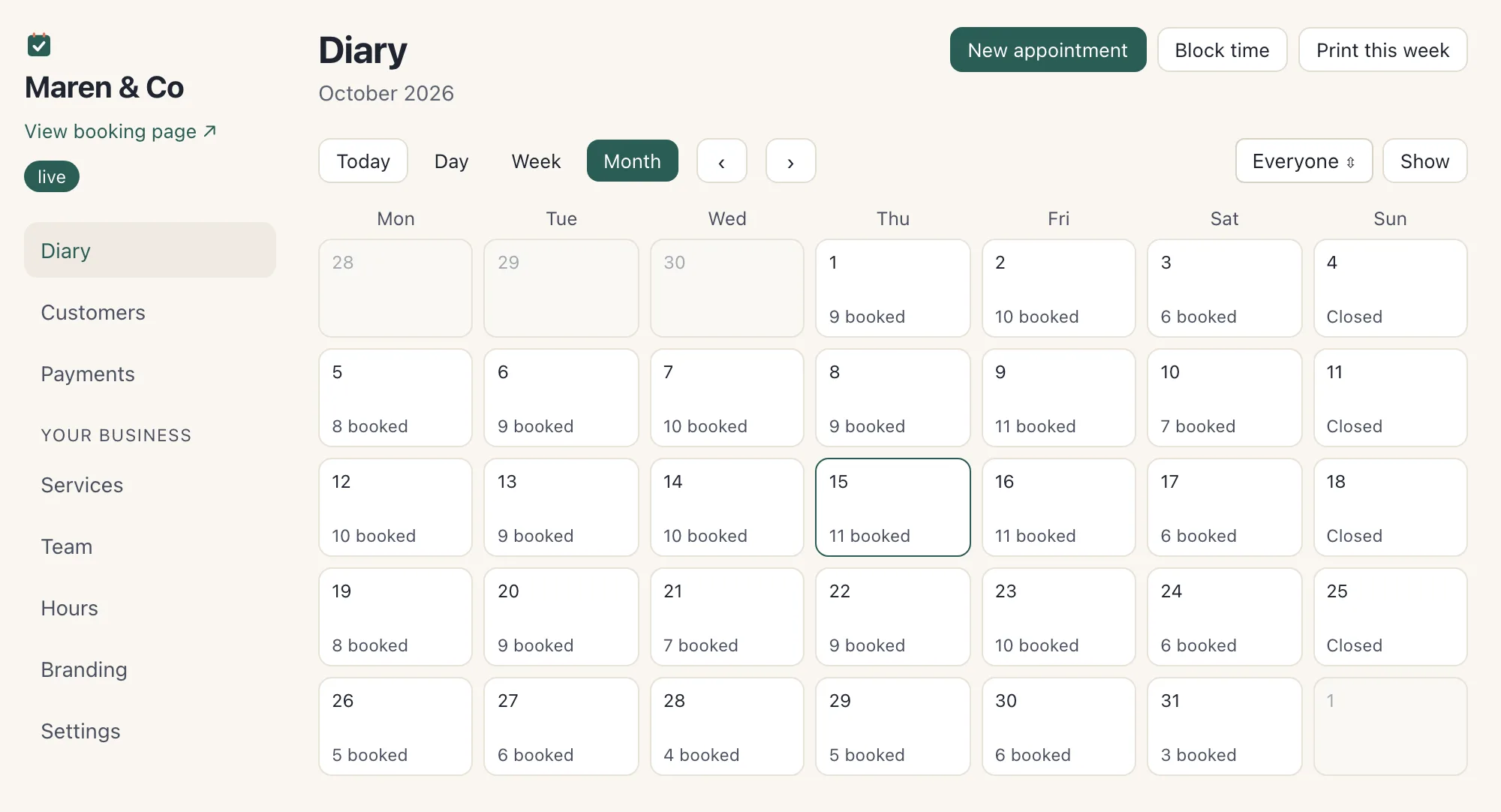
What your customers see when they book at 10pm, and what you see when you open your diary in the morning. Set up with you on one call. Free to start, or £12 a month, then £8 for each extra person, with no booking fees.
Your Customer
On your own web address, in your logo, colours and fonts, on any phone.
On Google, on your Google Business Profile, on Instagram or on your website. Every one of those has a Book button that goes to your booking page.
Your services, prices and times, in your words. Each service can have its own questions, such as a patch test date or a pick up point.
Pick a person, or choose “any available” and take the first free slot. Only times that really are free are shown.
Your cancellation policy and the price, including any platform fee, are shown before they pay. They pay a deposit or the full amount by card, Apple Pay or Google Pay, into your own Stripe account.
An email straight away with the details and a calendar invite, plus a private link to move or cancel within your rules.
A reminder before the appointment, so it does not slip their mind. Fewer forgotten appointments means fewer empty slots.
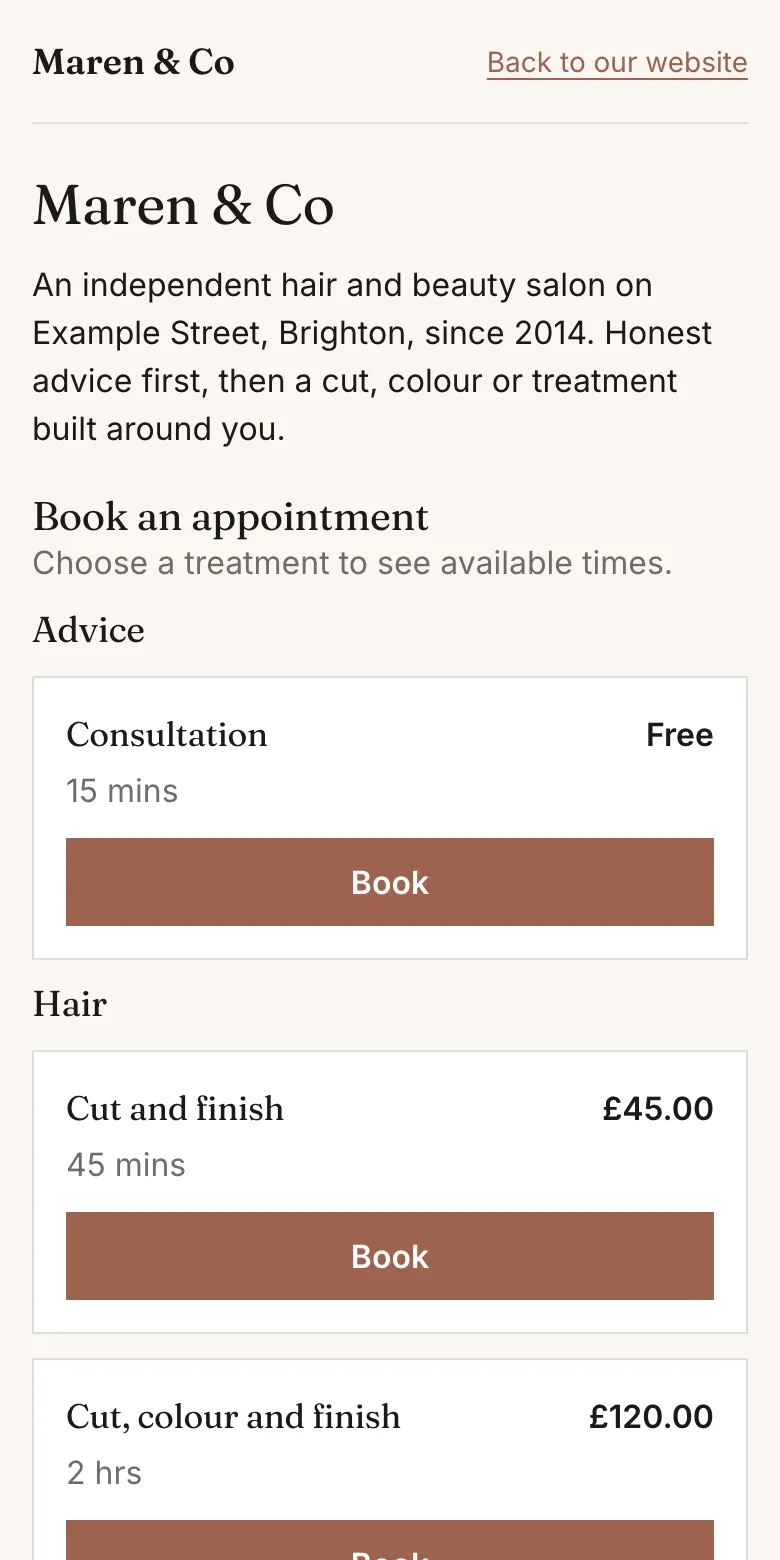
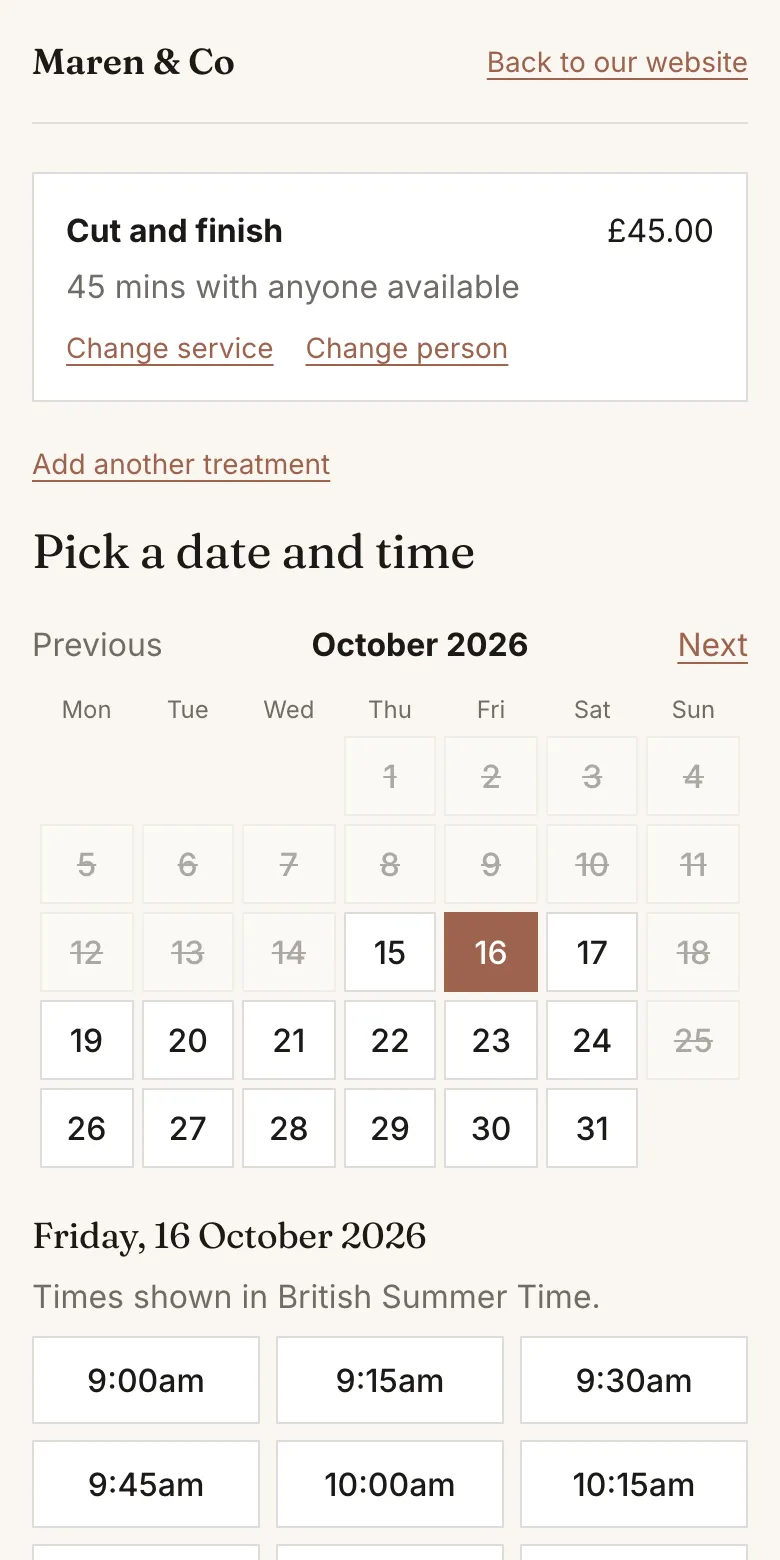
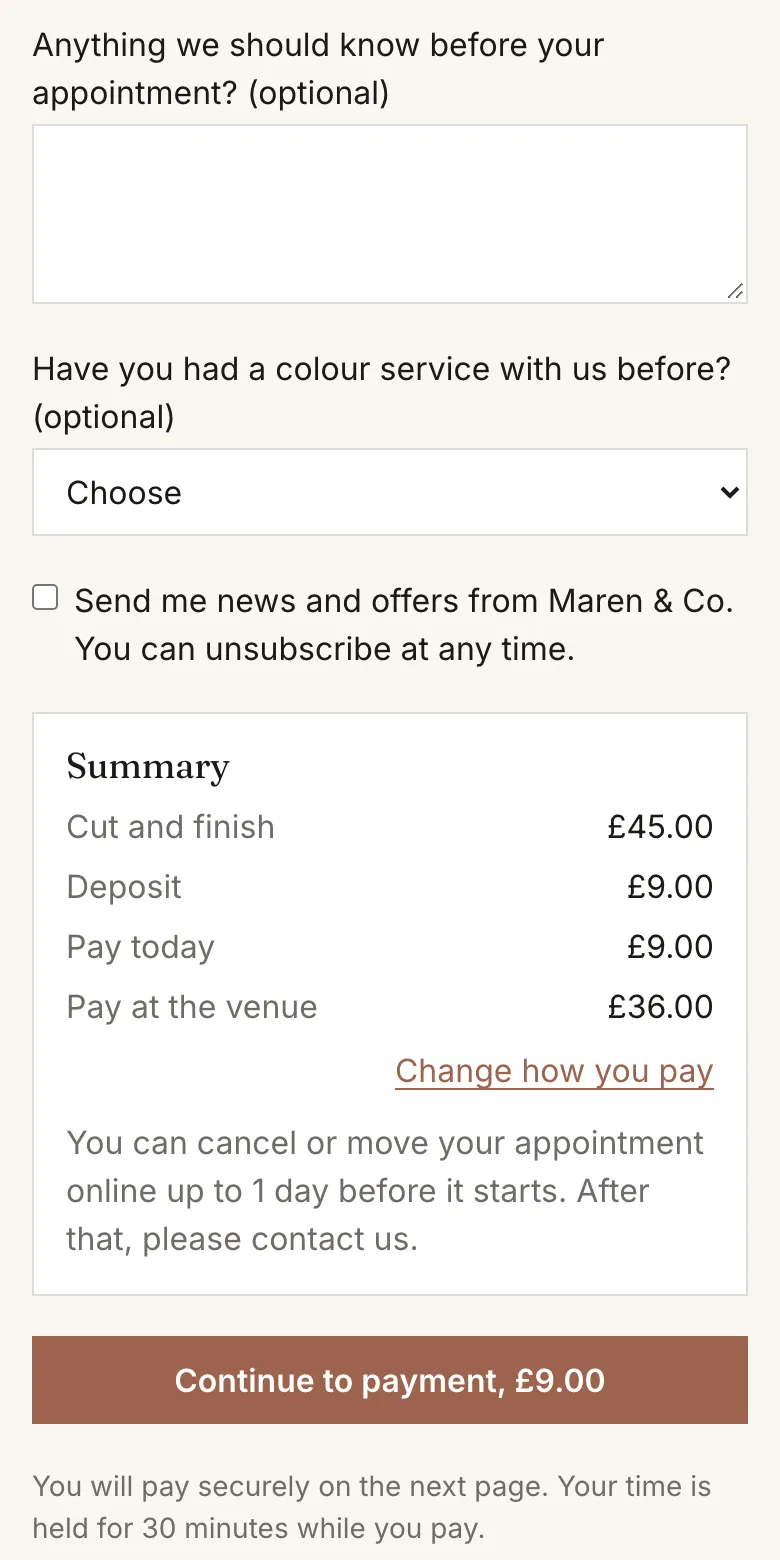
Screenshots from Maren & Co, a demo salon (a fictional business). Try its booking page yourself.
You
Everything runs on its own once it is set up. Here is what you see.
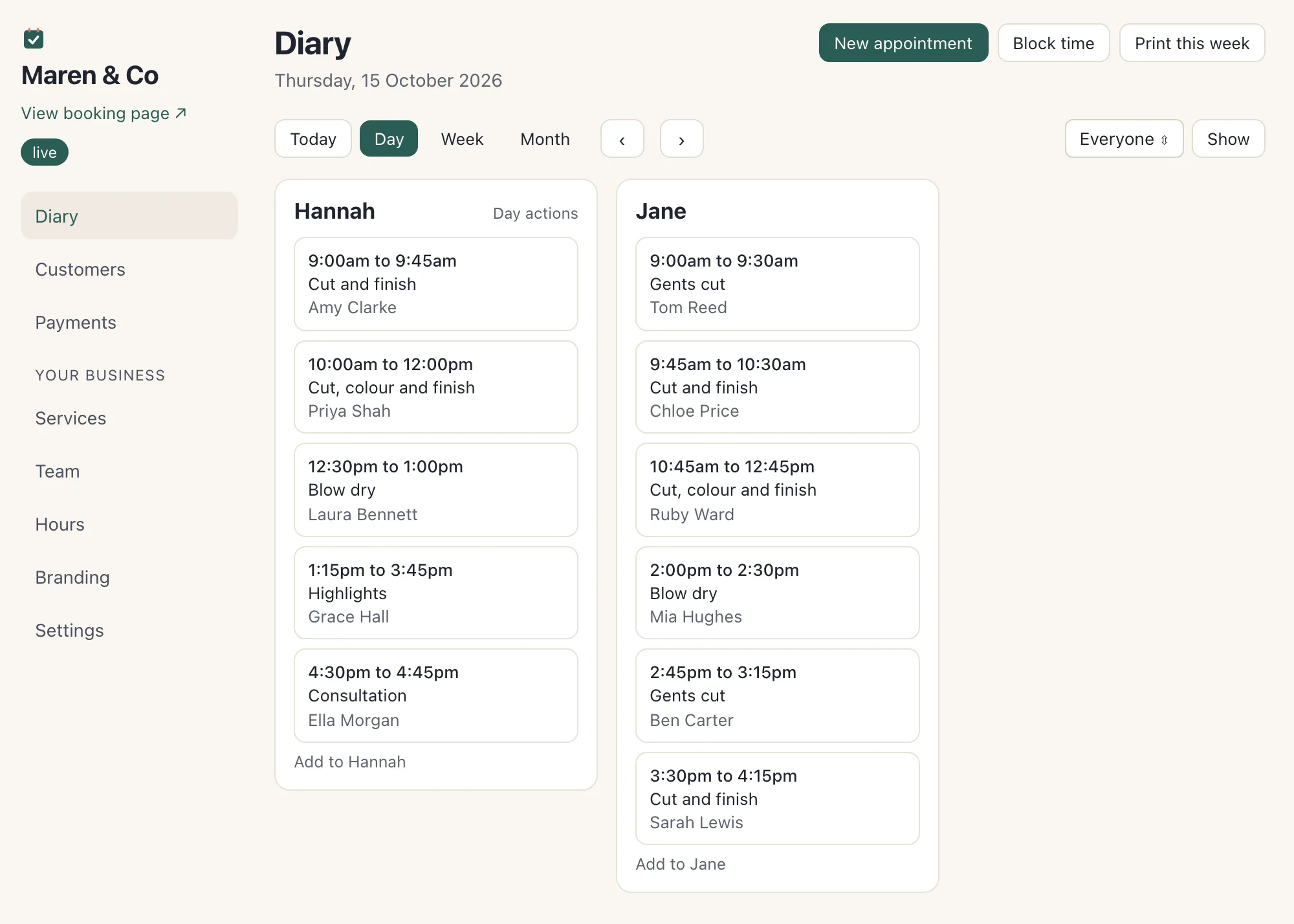
Every booking in one diary, by day or by person, on your phone or computer in the browser. Add bookings taken by phone or in person so the diary is always the real picture.
You get an email for each new booking, and overnight a booking sheet with the day ahead, one section per person.
Ask to accept each booking before it is confirmed. The time is held, and any card payment is only taken when you say yes.
Deposits and payments go to your own Stripe account and on to your bank. Refunds are made from the same place.
Every customer and their history in one place. Download their details whenever you like, and delete them when asked.
Prices, hours, holidays, services and team. Or tell us what you want changed and we will do it.


The diary for Maren & Co, our demo salon, filled with sample bookings. Customer names are made up.
Getting Started
You do not have to work it out on your own. We book a 30 to 40 minute call and work through it together: your services and prices from your price list, your opening hours and team, your logo, colours and fonts so the booking page matches your website, and your Stripe account so deposits go straight to you.
Then we add a Book button to your website, your Google Business Profile and your social media links. If you have a Page Forge website, every service page gets its own Book button that goes straight to that service. After that you can log in and change anything yourself, or ask us.
Prefer to do it yourself? Start a 14 day free trial, with everything switched on and no card needed. The two plans, and the free plan’s platform fee, are explained on the bookings pricing section.
FAQ
Questions owners ask before they switch on online booking.
Tell us about your business and how you take bookings now. We’ll arrange a short call and show you how it would work for you.